


Tinkle
4.111.00 Reviews
App Specs
- Version
- 2.0.2
- Updated On
- License
- Free
- Downloads
- 100,000+
- Developer
- AMAR CHITRA KATHA PRIVATE LIMITED
- Categories
- Comics
- Platform
- Android
Screenshots
 Analysis by AppCompare
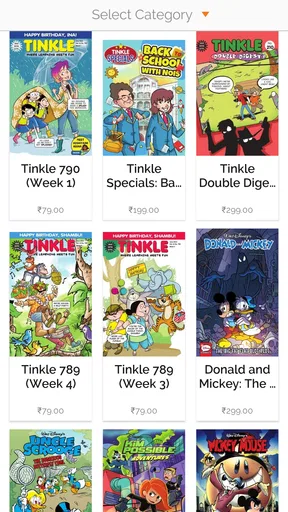
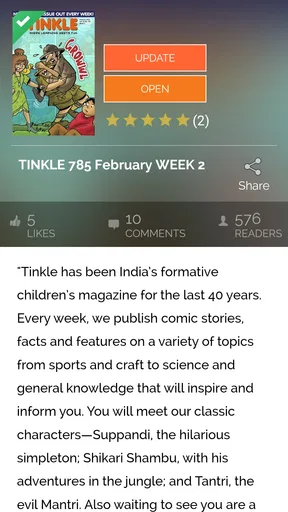
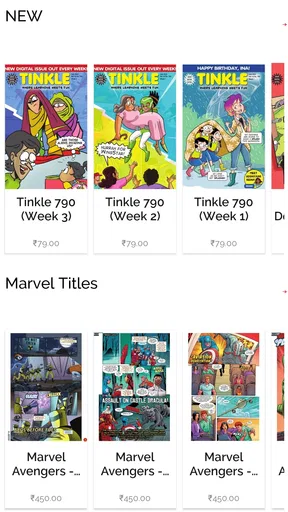
If you're like me and always on the hunt for a new app to spice up your daily routine, let me introduce you to Tinkle. It's an app for reading comics, and that distinction matters: it is not a task manager or a general-purpose social network. I’d consider it when I want a light, visual read on a phone, especially if I’m already interested in the comics associated with AMAR CHITRA KATHA PRIVATE LIMITED. The useful question is less whether it can organize a day and more whether reading comics on a screen suits the way I like to spend a few spare minutes.
A comic reader, not a productivity tool
In an everyday routine, I can picture opening a comic while waiting for an appointment or taking a short break between errands. That is a different kind of use from settling in with a print collection: the phone is close at hand, but the screen is smaller, and a comic’s artwork and panel layout deserve enough attention to remain enjoyable. I would use it for a focused reading break rather than expect it to replace every kind of entertainment or reading app.
For someone choosing among comics apps, the main trade-off is the material and reading experience each service offers. A broad digital bookstore may make more sense if you want to browse across many publishers, while a library or a physical collection may suit readers who prefer borrowing or paper pages. Tinkle is the more relevant choice if its particular comics are what you want to read. That focus can be a strength, but it also means the app is not automatically the right fit for someone seeking a huge, mixed catalogue.
What I would check before settling in
I’d start by browsing the available reading choices before deciding how much time to invest. That gives me a practical sense of whether the material matches my interests, rather than assuming that a comics app will appeal just because I enjoy comics in general. If I’m choosing it for a younger reader, I’d also look through the app together first: its Everyone age rating is reassuring as a general content classification, but a parent’s own judgement about a particular story and a child’s preferences still matters.
The app is free to install, with in-app purchases ranging from $0.49 to $32.99 per item. I’d treat that as a reason to pause before buying, not as a reason to assume every comic or reading option is included at no cost. A sensible routine is to explore what can be read freely first, then decide whether a paid item is worth it for the person who will actually use it. For a shared device, that small habit helps avoid an unexpected purchase and makes the choice more deliberate.
Reading habits and practical trade-offs
One non-obvious point with comics on a phone is that the best reading moment is not always the shortest one. A quick glance can work for a few panels, but dense artwork or a story you want to follow may be better enjoyed when you can give the screen your attention. I’d keep the device brightness comfortable and avoid trying to read while walking or doing something that needs my eyes elsewhere. Those are simple habits, but they make a visual format easier on both the reader and the story.
I would also think about the device being used. Android users need version 7.0 or later, so checking the operating system before installing is a useful first step if the phone is older. The app’s current version is 2.0.1. It has reached over 100,000 installs and holds an average rating of 4.0 from 881 ratings, which gives a reader some context about its audience without telling me whether the catalogue will suit my tastes. I’d use those figures as background, then make the decision based on the comics themselves.
Worth Reading Before You Choose

Flipboard Shows What News Apps Must Do Beyond the Feed

Switching to Android Auto Means Rethinking Your Driving Routine

Google Calendar Makes a Crowded Week Easier to Manage

Ludo King Makes the Most of the Minutes Between Plans

Baby Panda World Brings Quick Play to Modern Phones, but Its Game Library Feels Busy

ESPN’s Live Game View Makes Following Close Games Easier
Who may enjoy it, and who may prefer another option
I think Tinkle is best considered by readers who already want comics from this particular app and value having them available on a mobile device. It could also be a reasonable option for a family looking for a screen-based comic to explore together, provided an adult checks the material and purchase choices. The app is free to get, so browsing before committing to an in-app purchase makes the decision easier to manage.
On the other hand, I would look elsewhere if I wanted one subscription or storefront that brought together a wide range of unrelated comic publishers, or if I strongly preferred print. Someone who mainly wants novels, news, or a general reading library would be better served by an app built around those formats. That is not a criticism of Tinkle so much as a useful boundary: a focused comic app is valuable when its content is the reason to open it, not simply because it is another reading app.
The developer is AMAR CHITRA KATHA PRIVATE LIMITED, and the app was released on March 6, 2019. Those details help identify the product, but they do not tell me what reading controls, account settings, or data choices are available in the current build. I would check the screens and prompts shown on my own device rather than assume there are particular privacy tools or account options. For any app used by a child, I’d make that check with them before they start browsing or making purchases.
Trust, choices, and a cautious verdict
When I try a comics app, I pay attention to what it asks me to do: whether it requests an account, what permissions appear during installation or use, and whether a purchase is clearly presented before I confirm it. I don’t treat a polished reading experience as proof of good or bad data practices. Instead, I make decisions from the visible prompts and controls on the device, grant only permissions that make sense for the activity, and review purchase settings if a child might use the phone.
That approach also answers a practical question: should I install it just to see whether it suits me? Since it is free to download, trying it is a low-commitment way to judge the reading experience, as long as I pay attention to any optional purchases. If I don’t find comics I want to read, I can stop there. If I do, I can decide on individual purchases with a clearer idea of what I’m getting rather than paying first and hoping the catalogue fits.
In the end, I’d recommend Tinkle selectively, not as a universal reading app. It makes the most sense for someone who wants its comic offering on a phone and is comfortable checking the available choices and purchase prompts before going further. Readers who need a broad, cross-publisher collection or prefer paper should compare other options first. My cautious advice is to browse, test whether the format works for your reading habits, and spend only when a specific comic feels worth it.
Getting Started with Tinkle
First things first, downloading and setting up Tinkle is a breeze. Available for both Android and iOS, you can find it easily on the Google Play Store or the App Store. The installation process is super quick, and within minutes, I was ready to explore.
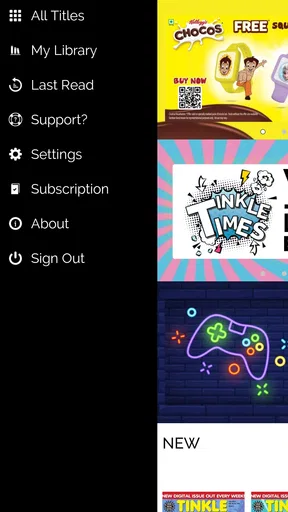
The user interface is clean and intuitive, which I absolutely love. I didn’t have to spend ages figuring out where everything was. Just open the app, and you’re greeted with a simple, friendly layout that’s easy to navigate.
Features That Stand Out
So, what exactly does Tinkle do? Well, it's essentially an app that aims to make your life a whole lot easier. Whether you’re looking to manage tasks, set reminders, or even just have a little fun, it's got you covered.
One of my favorite features has to be the customizable reminders. You can set alerts for everything under the sun—meetings, birthdays, or even just your daily reminder to take a break and breathe. The notifications are gentle yet effective, meaning you won’t ignore them like a pesky alarm clock.
Another cool feature is the integration with other platforms. Tinkle syncs seamlessly with your calendar and email, so everything you need is in one place. It’s like having a personal assistant in your pocket!
Why I’m Hooked
What really sets Tinkle apart from the myriad of other apps out there is its community aspect. There are forums and chat groups where users can exchange tips, share experiences, and just have a good old chat. It’s a lovely way to feel connected, especially if you’re using it for professional development or personal growth.
And let’s not forget the gamification element. You can earn badges and rewards for completing tasks and hitting your goals. It’s a genius way to keep you motivated and engaged, turning mundane tasks into a fun challenge.
Room for Improvement
Now, no app is perfect, and Tinkle is no exception. While it’s packed with features, sometimes it feels like there's almost too much going on. New users might feel overwhelmed with the options available. A simplified onboarding process could help ease newbies into the app without feeling like they’ve been thrown into the deep end.
Additionally, while the app is generally smooth, I did experience the occasional slowdown or glitch, particularly when syncing with other apps. It's nothing major, but a little polishing could go a long way.
Final Thoughts
All in all, Tinkle is a fantastic addition to anyone’s app arsenal. It’s versatile, user-friendly, and packed with features that genuinely make life easier. Whether you’re a busy professional, a student, or just someone looking to stay organized, it’s definitely worth a try.
With its strong community aspect and engaging features, Tinkle manages to make productivity feel less like a chore and more like a game. So, if you’re ready to take your organization skills to the next level, give it a download and see how it transforms your routine. You might just find yourself as hooked as I am!
Pros
- User-friendly interface for easy navigation.
- Wide variety of features for customization.
- Regular updates improve functionality.
- Strong community support and engagement.
- Efficient performance with minimal lag.
Cons
- Limited offline functionality.
- Some features require in-app purchases.
- Occasional ads can be intrusive.
- Battery consumption is relatively high.
- Requires constant internet connection.
FAQs for Tinkle
What is Tinkle and how does it work?
Tinkle is a social app that connects users through short, engaging audio snippets. Users can record, share, and discover audio content on various topics. It functions like a blend of podcasting and social networking, allowing users to follow creators, engage with content, and participate in audio-based discussions.
Is Tinkle available for both Android and iOS devices?
Yes, Tinkle is available on both Android and iOS platforms. Users can download the app from the Google Play Store or the Apple App Store, ensuring compatibility with a wide range of devices. It's designed to offer a seamless user experience across different operating systems.
Are there any subscription fees or in-app purchases in Tinkle?
Tinkle offers a free version with basic features accessible to all users. However, there are optional in-app purchases and subscription plans that provide access to premium features, such as ad-free listening, exclusive content, and advanced audio editing tools. Users can choose to upgrade for a more enhanced experience.
How does Tinkle ensure user privacy and content moderation?
Tinkle prioritizes user privacy with robust encryption and privacy settings that allow users to control their audio content's visibility. The app employs content moderation tools and community guidelines to maintain a safe and respectful environment. Users can report inappropriate content, which is reviewed by Tinkle’s moderation team.
Can users collaborate and create audio content together on Tinkle?
Yes, Tinkle supports collaborative features where users can co-create audio content. This includes options to invite friends or other users to join in recording sessions or contribute to ongoing audio projects. Collaboration tools make it easy to merge multiple inputs into cohesive audio pieces, fostering creativity and community engagement.


